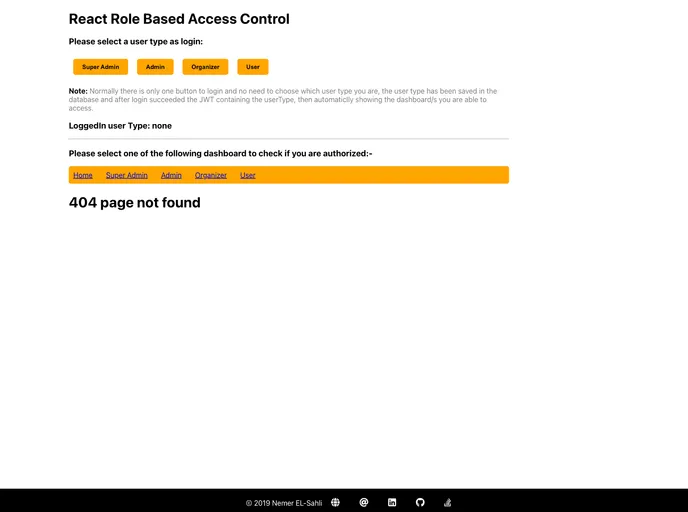
Authorization for access control a different dashboards.
The React Role-Based Access Control (RBAC) is a powerful feature that allows developers to manage user access to various dashboards within their applications effectively. By implementing this system, developers can ensure that users are granted permissions based on their roles, simplifying the management of user access. The feature is particularly useful for applications with multiple dashboards that require different levels of access for different types of users.
With this access control mechanism, your application becomes more secure and user-friendly, as it allows for a clear distinction between user capabilities. Whether you’re a super admin who needs full access or a regular user restricted to basic functionalities, React RBAC streamlines this process seamlessly through a higher-order component (HOC).
Role-Based Access Control: Easily manage and define what roles can access specific dashboards within your application, enhancing security and usability.
Higher-Order Component (HOC): Simply pass your component along with the allowed user role to the Authorization HOC, making it easy to implement access restrictions.
User Type Integration: Assumes the existence of a userType property, simplifying the authorization logic based on defined user roles.
Granular Access Levels: Super admins have access to all dashboards, admins have access to a broader range, while users are restricted to their designated views.
Streamlined User Experience: By limiting access based on roles, users are presented only with the functionalities they need, reducing clutter and confusion.
Flexible Dashboard Structure: Supports multiple dashboards like admin, organizer, and user, allowing organizations to tailor views according to different user roles.
Customizable Permissions: Enables additional customization of access roles in the future, providing flexibility as user roles evolve or expand.
Secure User Handling: Reduces the risk of unauthorized access by ensuring that only users with appropriate roles can view or interact with certain parts of the application.

