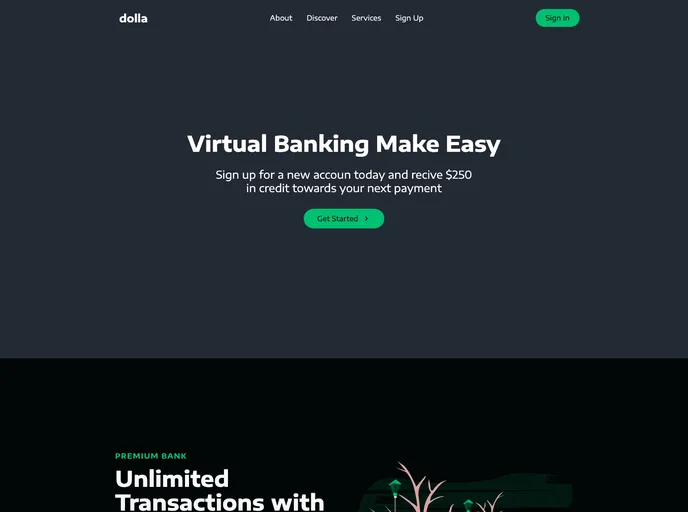
React Website using Styled Components and Smooth Scroll
Creating a React application has never been easier, especially with tools like Create React App. This beginner-friendly setup allows you to get a React project off the ground quickly and provides a strong foundation for future development. It includes all the necessary configurations and optimizations out of the box, which means you can focus more on coding and less on setup.
The intuitive script commands streamline everything from starting a development server to building your app for production — perfect for both newcomers and experienced developers looking for efficiency without complications.
Easy Setup: Bootstrap your React app with minimal configuration using Create React App; it’s designed to save time and effort for developers at all levels.
Development Mode: Run your app in development mode with yarn start, allowing for real-time reloading and easy debugging of code errors as you develop.
Efficient Testing: Use yarn test to launch an interactive watch mode for tests, ensuring your app performs well and stays bug-free throughout the development process.
Production-Ready Builds: The command yarn build compiles your app into a production bundle, optimizing performance, and ensuring your project is ready to deploy.
Customizable Ejecting: If you seek a more tailored build environment, yarn eject allows you to take full control over configuration settings, though it’s a one-way operation.
Comprehensive Documentation: The included documentation provides a wealth of information on React and advanced configurations, making it easy to learn and expand your skill set.
Performance Optimization: Bin all unnecessary code with code splitting techniques, ensuring your app loads quickly and efficiently for users.
Progressive Web App Compatible: Turn your React application into a Progressive Web App with ease — ready for modern web utilization and offline capabilities.

