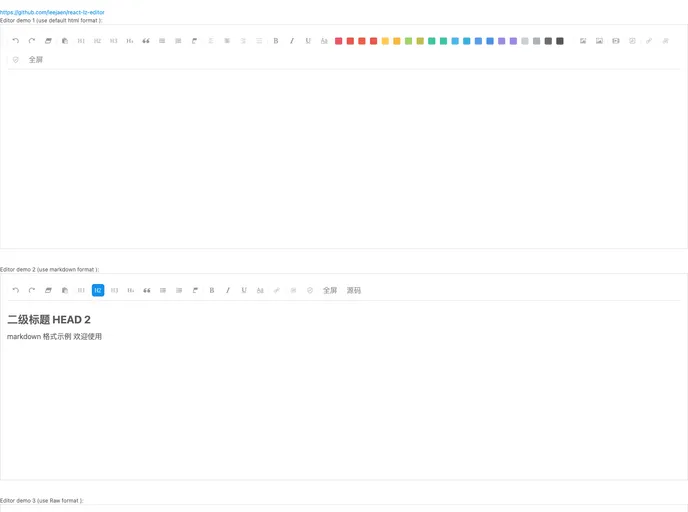
React Lz Editor screenshot

React Lz Editor

Author Avatar Theme by Leejaen
Updated: 18 Oct 2019
947 Stars

A multilingual react rich-text editor component includes media support such as texts, images, videos, audios, links etc. Development based on Draft-Js and Ant-design, good support html, markdown, draft-raw mode. 一款基于 draft-Js 和 ant-design 实现的 react 富文本编辑器组件,支持文本、图片、视频、音频、链接等元素插入,同时支持HTML、markdown...

Categories

Overview

The React LZ Editor is a modern open-source rich-text editor designed specifically for React applications. Built on the foundation of Draft-Js and Ant-design, it offers a user-friendly interface that supports a variety of media types, including text, images, videos, audios, and links. This editor caters to a wide range of languages, making it a versatile choice for developers looking to integrate rich-text editing capabilities into their projects. With good support for HTML, Markdown, and draft-raw modes, it’s equipped to handle diverse content formats effectively.

This editor is particularly appealing for its flexibility and extensive features, which enhance the user experience while maintaining an intuitive interface. Whether you’re building a content management system, a blogging platform, or a personal project, React LZ Editor provides the tools necessary for rich content creation and management.

Features

  • Multi-language Support: The editor supports multiple languages, allowing you to add custom language options easily to cater to a wider audience.
  • Media Insertion: Users can seamlessly add various media types such as images, videos, and audio files for a rich content experience.
  • Markdown & HTML Compatibility: The editor supports both HTML and Markdown formats, enabling a versatile approach to content formatting and editing.
  • Undo & Redo Functionality: With built-in undo and redo features, users can easily navigate through their editing history, ensuring a smoother workflow.
  • Customizable Settings: The editor comes with customizable upload settings, giving developers flexibility in how media files are handled within the application.
  • Full-Screen Mode: Users can maximize their editing space with a full-screen feature, making it easier to focus on content without distractions.
  • Auto-Save Feature: The auto-save function ensures that work is continuously backed up, minimizing the risk of losing valuable content.
  • Rich Text Formatting Options: The editor provides a variety of text styling options such as bold, italic, underline, and color changes, offering robust formatting tools for users.