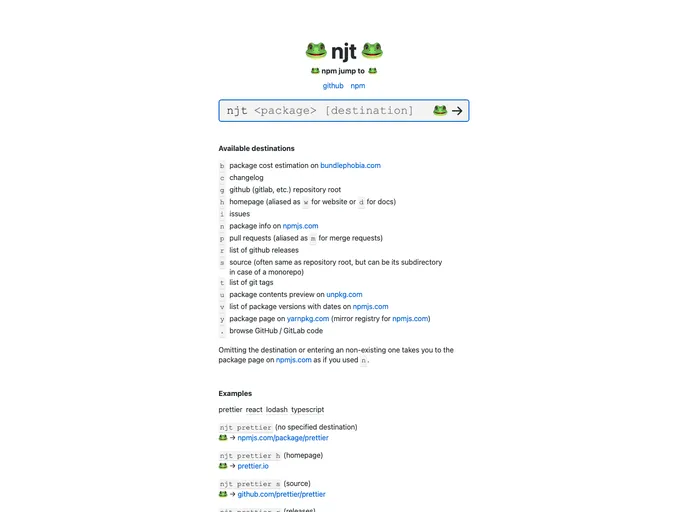
Njt screenshot

Njt

Author Avatar Theme by Kachkaev
Updated: 17 Jan 2026
317 Stars

njt (npm jump to): a quick navigation tool for npm packages

Categories

Overview

If you find yourself frequently searching for package documentation or repositories, you’ll want to check out njt (npm jump to). This innovative tool drastically shortens the time you spend navigating to various package destinations, streamlining your workflow and improving efficiency. By typing a simple command, you can quickly access essential resources like changelogs, GitHub repositories, and package information—all without the hassle of multiple search engine queries.

With njt, whether you use it via the command line or integrate it into your browser, you can easily jump to the right URLs in just a few keystrokes. It’s perfect for developers and enthusiasts who rely heavily on package management.

Features

  • Quick Access to URLs: Instantly navigate to important package resources like homepages, GitHub repos, and changelogs with simple commands.
  • Multiple Destinations: Choose from a variety of destinations such as h for homepage, s for source, r for releases, and more, to find exactly what you need.
  • Command-Line Tool: Install globally through npm and start using njt with straightforward commands to access resources quickly.
  • Customizable Browser Support: Set an environment variable to choose your preferred browser, enhancing user convenience.
  • Easy Installation and Uninstallation: Simple npm commands allow for quick setup or removal of the tool, making it accessible for everyone.
  • Support for Chrome Integration: Add njt as a custom search engine in Chrome so that you can access package information directly from the browser’s address bar.
  • Pro Tips for Enhanced Functionality: Use ‘.’ to auto-detect package names from package.json and streamline your commands even further.