Overview
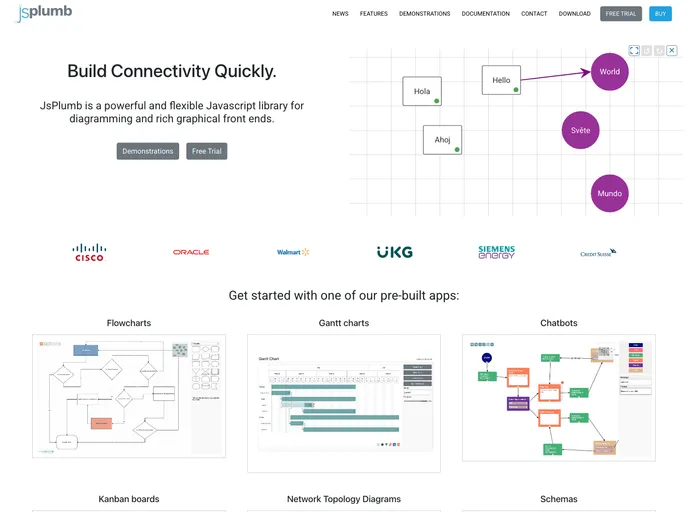
The jsPlumb Toolkit provides starter applications and feature demos for users to build fully featured apps and explore various aspects of the Toolkit’s functionality. The starter applications are available in Vanilla JS, Angular, Vue 2, Vue 3, React, and Svelte versions, while the feature demos are smaller demos focused on specific functionalities. The demos are compatible with ES5, ES6, and TypeScript. Users need to be a licensee or evaluator of the jsPlumb Toolkit to access the applications.
Features
- Chatbot: Build a chatbot flow with actions, messages, input, and choices. Available in Angular, Vue 2, Vue 3, React, and Svelte versions.
- Flowchart Builder: Fully featured flowchart builder with support for custom shapes, edge routing, node resizing, and export to SVG/PNG/JPG. Available in Angular, Vue 2, Vue 3, React, and Svelte versions.
- Schema Builder: Build schemas with support for tables, views, multiple column types, and column relationships. Easily extensible. Available in Angular, Vue 2, Vue 3, and React versions.
- Org Chart: Build interactive org charts using the Toolkit’s org chart layout. The starter app includes an inspector for user interaction.
Installation
- Make sure you are a licensee or evaluator of the jsPlumb Toolkit.
- If you are an evaluator, access the starter apps and feature demos from your evaluation bundle. The Toolkit packages are delivered in the bundle and can be referenced via file:.. urls. Alternatively, you can access the Toolkit packages via the NPM repository by following the instructions provided.
- If you are a licensee, make sure you are logged in to the NPM repository. If not, login using the instructions provided. Alternatively, you can provision the Toolkit packages via your own NPM repository or local files.
- In the package.json file, you will find targets for installing dependencies for each library integration separately or all at once.
- To build a specific version of the apps, use the targets provided in the package.json file. You can build all apps at once or build them individually.
- To run each app, use the npm run command depending on the library integration:
- Angular: npm run start
- React: npm run start
- Vue 2 / Vue 3: npm run preview
- Svelte: npm run start
- Vanilla JS: npm run serve
Summary
The jsPlumb Toolkit provides starter applications and feature demos built with the Toolkit, allowing users to explore different functionalities and build fully featured apps. The starter apps come in various versions for different library integrations, while the feature demos showcase specific aspects of the Toolkit’s functionality. Users need to be a licensee or evaluator of the jsPlumb Toolkit to access the applications. The installation process involves installing dependencies, building the apps, and running them using npm commands specific to each library integration.