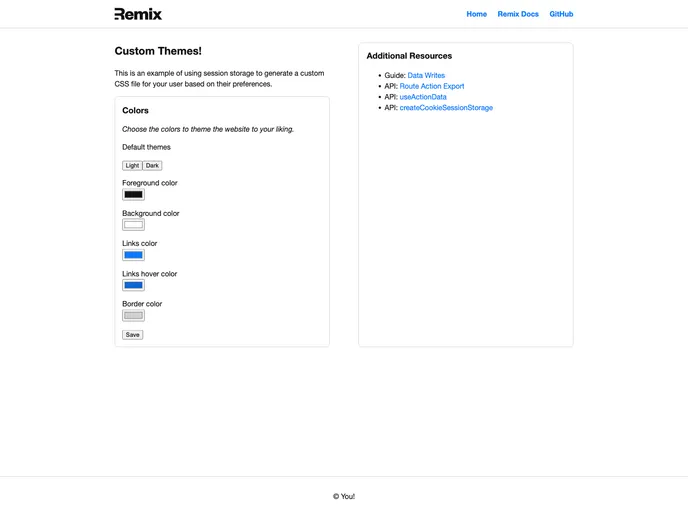
Use resource routes to generate user provided CSS themes.
Overview
Remix is a powerful web application framework that allows developers to easily build and deploy their Node.js applications. With its user-friendly interface and wide range of features, Remix is an ideal choice for both beginners and experienced developers.
Features
- Development Mode: Remix allows developers to start their apps in development mode, enabling them to make changes and rebuild assets on file changes.
- Production Mode: Once the app is ready to be deployed, Remix provides an efficient build process to create production-ready assets.
- Flexible Deployment Options: Remix supports various hosting options, giving developers the freedom to choose the most suitable host for their app.
- Built-in App Server: For users familiar with deploying Node applications, Remix offers a built-in app server that is specifically optimized for production purposes.
- Template-based Configuration: Remix provides a template-based approach for configuring the app’s settings, making it easy to set up and customize the project according to specific requirements.
Installation
To install Remix, follow the steps below:
- Open your terminal and run the following command:
- Once the installation is complete, start your app in development mode by running the following command:
- To build your app for production, execute the following command:
- After the build process is finished, you can run the app in production mode using the following command:
- Finally, choose a host to deploy your Remix app to.
Summary
Remix is a robust web application framework that simplifies the development and deployment process for Node.js applications. Its key features include development and production modes, flexible deployment options, a built-in app server, and a template-based configuration system. With Remix, developers can efficiently build and deploy their applications, reducing time and effort while maintaining a high level of performance.