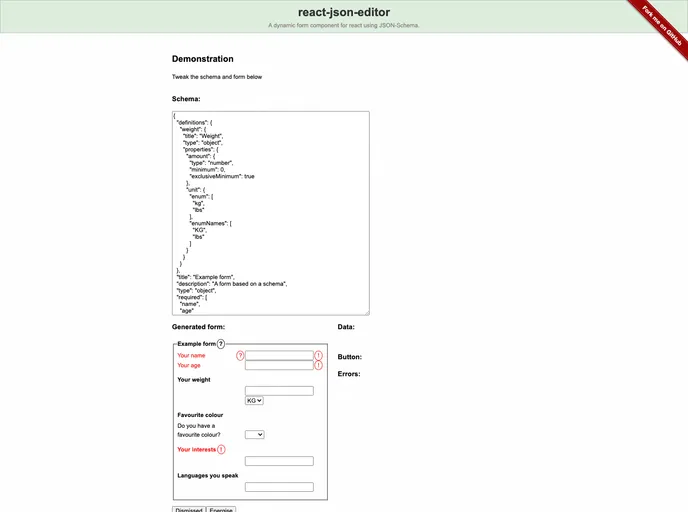
A dynamic form component for react using JSON-Schema.
React JSON Editor is an innovative and dynamic form component designed specifically for React applications. It leverages JSON-Schema to automatically generate forms based on data schemas defined by the user, streamlining the process of obtaining input while ensuring that the information provided is validated against a specified structure. The project, which is a maintained fork of plexus-form, aims to facilitate seamless integration of forms in React applications, catering to developers looking for flexibility and ease of use.
Built to accept JavaScript objects that outline the data shape, React JSON Editor broadens the usual capabilities of JSON-Schema by adding additional properties and enhanced functionality. With an emphasis on customization and user-defined input handlers, this tool is perfect for those looking to create sophisticated forms quickly and efficiently.
Dynamic Form Generation: Automatically creates forms to match user-defined data schemas, saving time and effort in form creation.
Validation via Schema: Validates user inputs by comparing them against a defined schema, enhancing data consistency and integrity.
Extended Schema Properties: Introduces custom properties like x-hints and x-ordering, allowing for additional annotations and control over form element display order.
Customizable CSS Classes: Automatically applies standard CSS classes, with options to specify additional classes for better styling flexibility using x-hints.
User-defined Input Handling: Supports the integration of custom input components, allowing developers to easily tailor form elements to their specific needs.
Ease of Contribution: Open to community contributions, fostering collaborative improvements and feature enhancements.
User-friendly Documentation: Detailed examples and references are provided, making it easy for developers to get started and implement the tool effectively.
MIT License: Open-source license permits free usage, modification, and distribution of the software, promoting accessibility for developers.