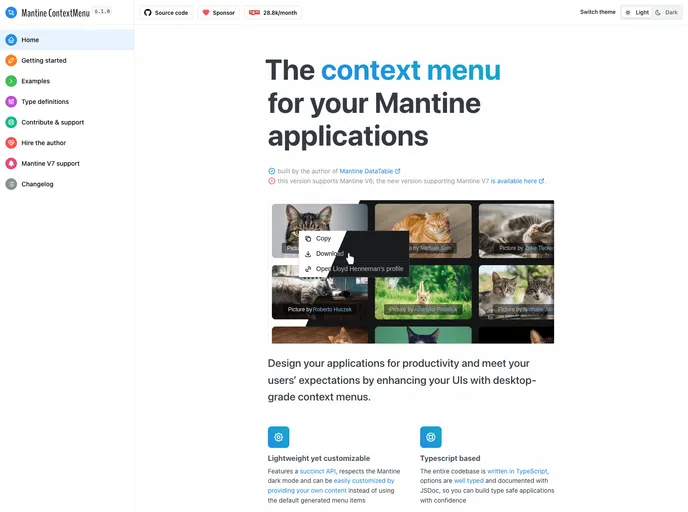
The lightweight yet customisable context-menu for your Mantine applications, with a succinct API and dark-theme support. Compatible with Mantine V6.
Mantine ContextMenu V6 is a “dark-theme aware” context-menu component for Mantine UI applications. It is designed to be lightweight and has no external dependencies. The context-menu automatically adapts to the current Mantine theme and offers a simple API for easy integration. It supports custom content using any Mantine component and offers highly customizable styling options. The component is written in Typescript and is well-documented.
To install Mantine ContextMenu V6, follow these steps:
npm install mantine-contextmenu-v6
Wrap your application in the ContextMenuProvider component:
import { ContextMenuProvider } from 'mantine-contextmenu-v6';

function App() {
  return (
    <ContextMenuProvider>
      {/* Your application code */}
    </ContextMenuProvider>
  );
}
Use the hook-generated function in your code:
import { useContextMenu } from 'mantine-contextmenu-v6';

function MyComponent() {
  const contextMenu = useContextMenu();

  // Use the contextMenu function to trigger the context menu

  return (
    <div>
      {/* Your component code */}
    </div>
  );
}
Make sure to refer to the full documentation for Mantine ContextMenu V6 to explore more usage examples and unleash the full power of the component.
Mantine ContextMenu V6 is a versatile context-menu component for Mantine UI applications. It offers lightweight and efficient functionality with no external dependencies. The component is “dark-theme aware” and automatically adapts to the current Mantine theme. With a simple API, custom content support, and highly customizable styling options, Mantine ContextMenu V6 provides a seamless and flexible user experience.

