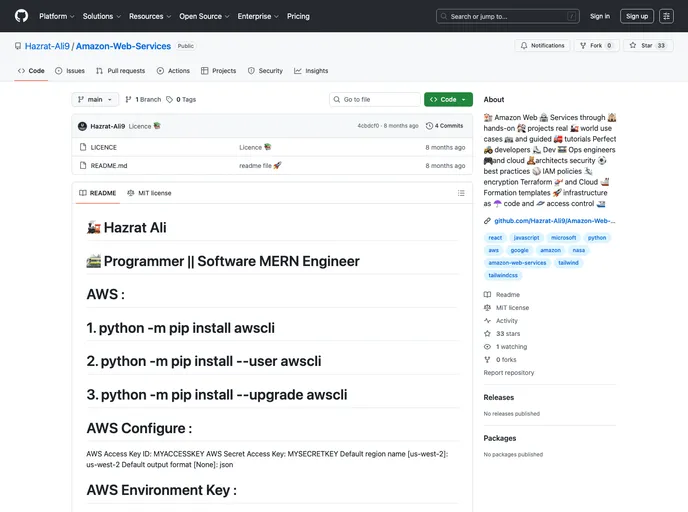
Amazon Web Services through hands-on projects real world use cases and guided tutorials Perfect developers Dev Ops engineers and cloud architects security best practices IAM policies encryption Terraform and Cloud Formation templates infrastructure as code and access control
## Overview
The AWS Command Line Interface (CLI) is an essential tool for developers looking to manage their cloud services efficiently. With its streamlined commands, developers can interact with various AWS services directly from the terminal, making cloud resource management seamless and straightforward. For programmers like Hazrat Ali, who specializes in software development and cloud engineering, the AWS CLI becomes an invaluable asset in optimizing workflows and automating tasks.

With its robust feature set, the AWS CLI supports a wide range of functionalities that cater to both beginners and advanced users. Knowing how to configure and utilize the CLI effectively allows developers to harness the full potential of AWS, all while maintaining best practices in security and efficiency.

## Features
- **User-Friendly Installation:** Easily install the AWS CLI using simple Python commands, making it accessible for all users familiar with Python.

- **Access Key Configuration:** Securely store and manage your AWS Access and Secret Keys for a hassle-free connection to your AWS resources.

- **Region Configuration:** Set your default region to streamline resource management, reducing the need to specify it with every command.

- **Custom Output Formats:** Choose your preferred output format (like JSON) to make it easier to read and interpret command results.

- **Version Control:** Quickly check the version of your AWS CLI to ensure you are using up-to-date features and services.

- **Debugging Commands:** Utilize handy debugging options to troubleshoot and gain insights into the inner workings of your commands, enhancing your command-line experience.

- **Profile Management:** Easily manage multiple AWS profiles for different environments (such as default and testing), allowing for flexible and organized access to your cloud resources.

