Usage of chartjs in next.js
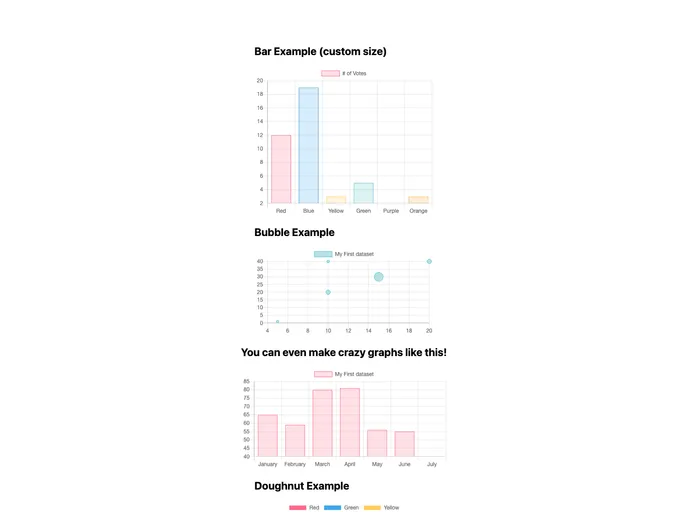
If you’re looking to build a powerful web application, combining Next.js with Chart.js offers an exceptional solution. This setup allows for easy integration of interactive charts into your applications while harnessing the robust features of Next.js. With its straightforward structure and modern features, this project makes it easy to create dynamic, data-driven experiences while taking advantage of server-side rendering and static site generation.
The process of getting started is seamless, especially for those familiar with React. You can quickly modify and see your changes in real-time, which is a significant boost for developers wanting to iterate rapidly. This combination is perfect for anyone looking to visualize data effectively while utilizing a top-tier framework like Next.js.
Easy Setup: This project is bootstrapped using create-next-app, making it a breeze to get up and running without extensive configuration.
Auto-Update Functionality: As you edit the pages/index.js file, the page auto-updates, allowing for real-time feedback and a streamlined development experience.
Chart.js Integration: Effortlessly integrate Chart.js to create interactive and visually appealing charts within your web application.
Server-Side Rendering: Leverage the power of server-side rendering or static site generation to improve the performance and SEO of your application.
Vercel Deployment: Simplify your deployment process by using Vercel, which offers the easiest way to deploy Next.js applications right out of the box.
Comprehensive Learning Resources: Access extensive documentation and interactive tutorials to deepen your understanding of Next.js and enhance your skills.
Community Contributions: The open-source nature of Next.js allows for feedback and contributions from the community, fostering a continuously improving project.

