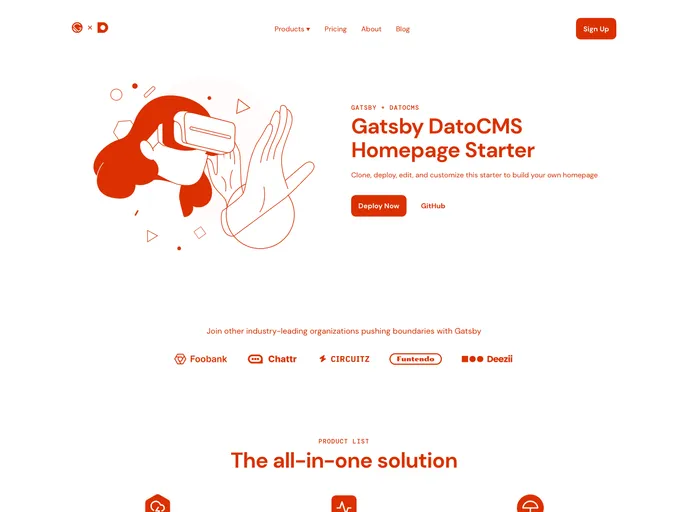
Gatsby Starter Datocms Homepage screenshot

Gatsby Starter Datocms Homepage

Author Avatar Theme by Gatsbyjs
Updated: 11 Jan 2023
16 Stars

Categories

Overview

The Gatsby Starter DatoCMS Homepage is a customizable starter template that demonstrates how to use DatoCMS to build a homepage. It is written in JavaScript and can be used with a new or existing DatoCMS project. This starter provides the necessary files and configurations to get started with developing a homepage using Gatsby and DatoCMS.

Features

  • Integration with DatoCMS: This starter allows users to create a homepage using DatoCMS, a content management system.
  • Customizable Visual Branding: The template can be easily customized to match the user’s own visual branding.
  • Gatsby CLI: The Gatsby CLI (Command Line Interface) is used to set up and run the development server for the site.

Installation

To install the Gatsby Starter DatoCMS Homepage, follow these steps:

  1. Clone the DatoCMS project and set up the data model and records for the demo site.
  2. Run the provided setup script to create environment variable files.
  3. Start the development server using the Gatsby CLI.
  4. Edit the source code to customize the site.
  5. Deploy the site to Gatsby Cloud once the content is available in DatoCMS.

For a more detailed installation guide, refer to the tutorial provided on how to build your site with Gatsby Cloud.

Summary

The Gatsby Starter DatoCMS Homepage is a useful starting point for building a homepage using Gatsby and DatoCMS. It provides integration with DatoCMS, customizable visual branding, and an intuitive development workflow using the Gatsby CLI. With this starter, users can quickly set up a homepage and begin customizing it to fit their needs.