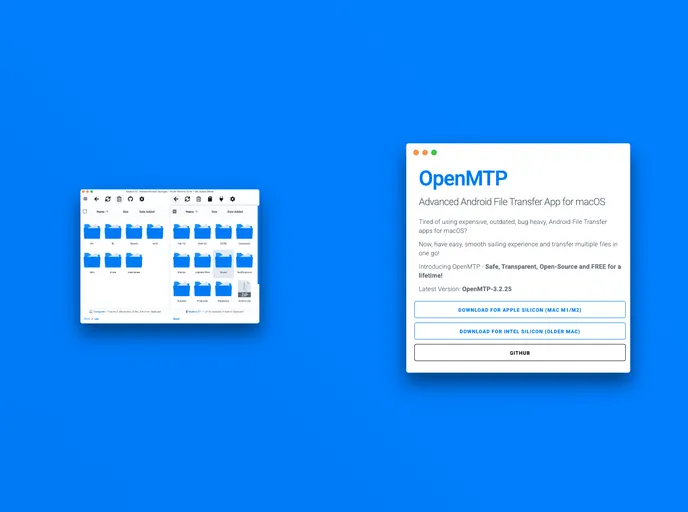
Overview
OpenMTP is an advanced Android file transfer application specifically developed for macOS, addressing the common challenges users face when moving files between macOS and Android or any other MTP devices. Many existing solutions suffer from limitations such as file size restrictions and connectivity issues, often rendering the file transfer process frustrating. OpenMTP aims to change that narrative by providing a user-friendly, efficient, and free option for seamless file management.
Designed with the community’s needs in mind, OpenMTP not only tackles the problems prevalent in other applications but also prioritizes convenience and performance. With a robust design and an impressive new kernel dubbed the Kalam Kernel, the app ensures fast file transfers while keeping the user experience intuitive.
Features
- Safe, Transparent, and Open-Source: OpenMTP is built on an open-source framework, ensuring transparency and security for its users.
- Plug and Play via USB: Enjoy a hassle-free, instant connection to transfer files simply by connecting your device via USB.
- Flexible Memory Options: Select between internal memory and SD card to manage your files based on your preferences.
- File Size Capability: Transfer multiple files larger than 4GB without any restrictions, a significant improvement over many alternatives.
- Dark Mode Support: For those who prefer a softer visual experience, OpenMTP includes a dark mode feature.
- Drag-and-Drop Functionality: Easily manage your files using drag-and-drop support for both local and remote file views.
- Kalam Kernel Performance: With the new MTP kernel, experience impressive file copy speeds of 30-120 MB/s depending on device specifications.
- User-Friendly Navigation: Navigate effortlessly through your files with split pane views and customizable grid or list views, along with keyboard shortcuts for added convenience.