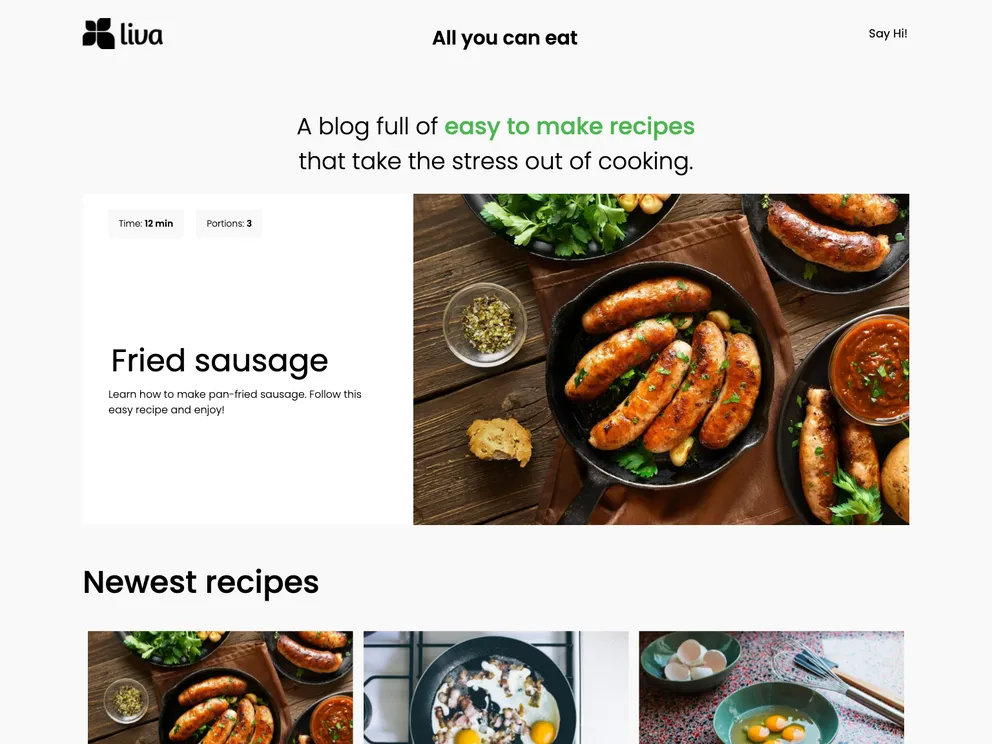
This is a Gatsby starter for recipes with Flotiq as the headless CMS. It provides a recipe boilerplate to kick off your project. The starter comes with the necessary Gatsby configuration files and is designed to help you build a fast and responsive app using React.
To start the project, you can use the Flotiq CLI to create a new project from the template.
flotiqApKey - Read and write API key to your Flotiq account
projectName - project name or project path (use "." if you want to start project in or import data from the current directory)
This command will:
gatsby new command.env fileflotiq import commandgatsby develop commandConfiguration:
.env files..env.development file should have the necessary structure.Import data (optional):
gatsby develop:flotiq-cli import
Note: Make sure to add your Read and write API key as the flotiqApiKey for the import to work. You don’t need any content types in your account.
The Gatsby starter for recipes with Flotiq source is a useful boilerplate for starting a recipe project with Flotiq as the headless CMS. It provides a set of pre-configured files, plugins, and libraries to help you get up and running quickly. The integration with Flotiq allows you to easily manage your content and make changes in real-time. Whether you’re a beginner or an experienced developer, this starter can save you time and effort in setting up your recipe app.

