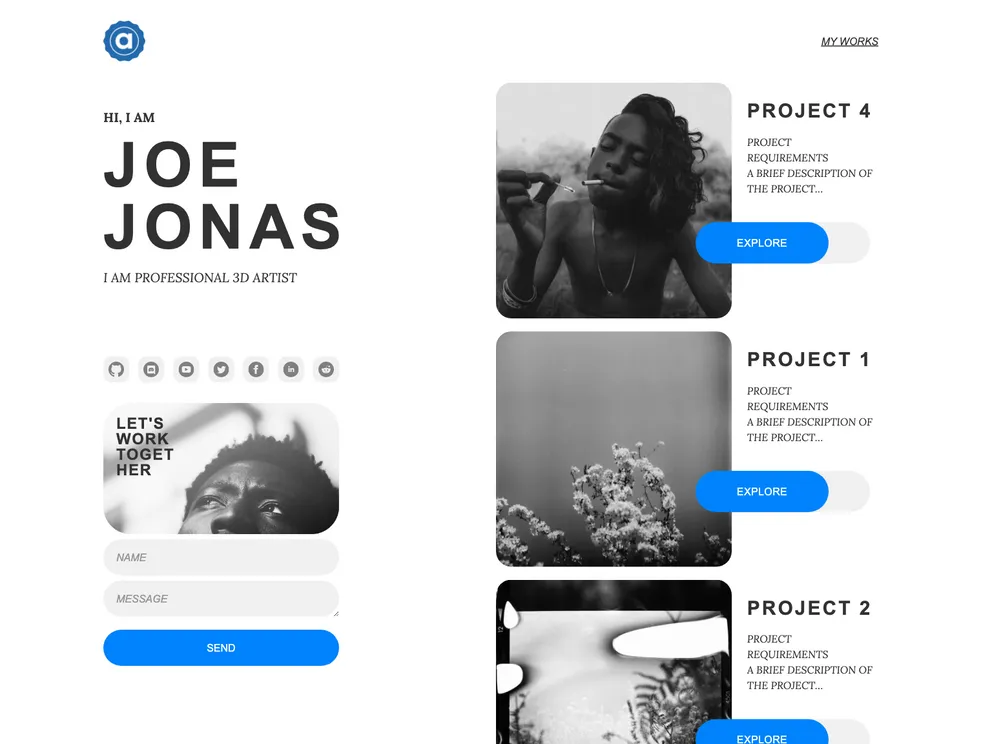
A modern, clean design can be customized and applied for a wide range of purposes
This Gatsby starter project is designed to help kickstart your portfolio website. It comes with the necessary Gatsby configuration files and is built with React. The project utilizes Flotiq, a headless CMS, to store and manage data. It also includes Tailwind, a utility-first CSS framework, and a set of Flotiq components for React to beautifully display your data.
flotiq new projectName --apiKey flotiqApiKey
Replace “projectName” with the desired name for your project and “flotiqApiKey” with your Flotiq account’s Read and Write API key. 5. This command will create the project using the Gatsby new command, install the necessary npm dependencies, set up variables in the .env file, and import example data to your Flotiq account. 6. After the project is created, navigate into the project’s directory in your terminal and start the development server by running:
gatsby develop
This Gatsby starter project provides a quick and easy way to set up a portfolio website. It includes integration with Flotiq, a headless CMS, for managing and displaying data. The project also utilizes the Tailwind CSS framework for styling. With this starter project, you can quickly get started with building your portfolio website and easily manage your content using Flotiq.

