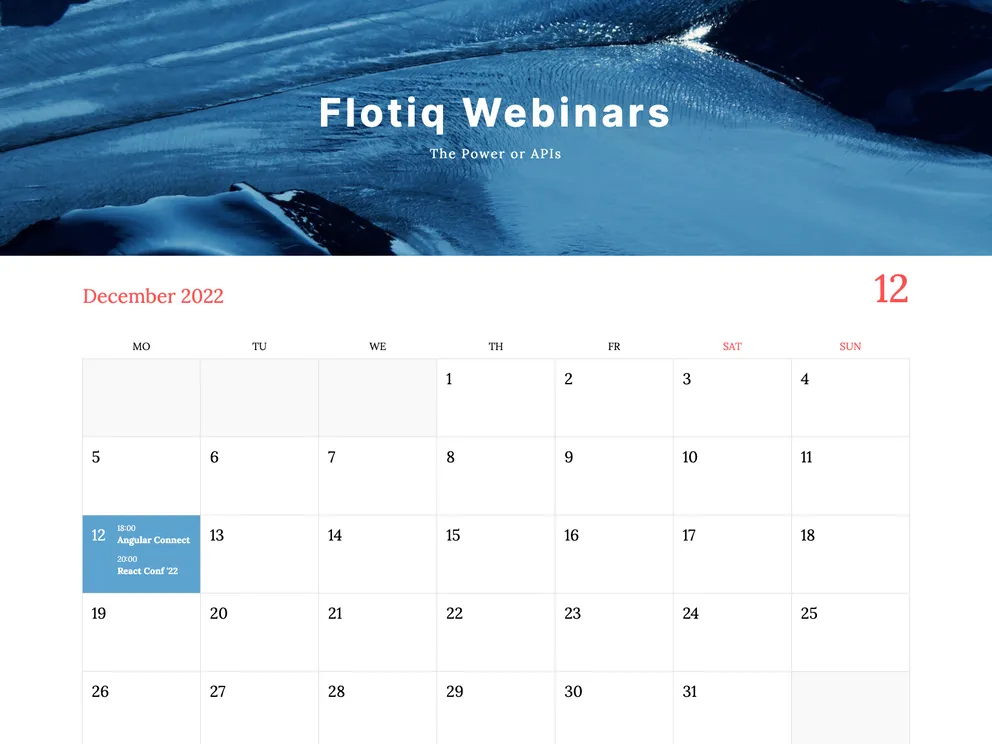
The Gatsby starter for events with Flotiq source is a boilerplate template that allows you to kickstart your event project. It comes with the main Gatsby configuration files needed to quickly set up a React app. The project uses Flotiq, a headless CMS for storing data, as well as Tailwind CSS framework for styling. It also includes Flotiq source plugin and Flotiq components for React to fetch and display data from Flotiq in a visually appealing way. This project is compatible with node version 18.0.0 and above, as it requires Gatsby 5.
To start the project from the template using Flotiq CLI:
npx flotiq-cli gatsby-starter-events projectName flotiqApiKey
projectName with the desired name for your project. Use . if you want to start the project in the current directory.flotiqApiKey with your Read and Write API key for your Flotiq account.This command will create the project based on the template using the gatsby new command, install npm dependencies, set up variables in the .env file, and import example data into your Flotiq account using the flotiq import command. Finally, it will start the development server using the gatsby develop command.
Note: If you used the Flotiq CLI to start the project, the step for importing example data is optional.
To configure environment variables:
.env.development..env.development file, set the following structure:flotiqApiKey=yourFlotiqApiKey
To import example data (optional):
If you want to import example data into your Flotiq account, follow these steps:
Before running gatsby develop, run the following command:
flotiq local-import <path-to-json-file> --apiKey <yourFlotiqApiKey>
<path-to-json-file> with the path to the JSON file containing the example data.<yourFlotiqApiKey> with your Read and Write API key for your Flotiq account.This command will add four example objects to your Flotiq account.
Development:
gatsby develop
The Gatsby starter for events with Flotiq source is a convenient boilerplate template for kickstarting event projects. It includes integration with Flotiq as a headless CMS for managing data, as well as Tailwind CSS framework for easy styling. The template comes with Flotiq source plugin and Flotiq components for React to fetch and display data from Flotiq in a visually appealing way. The installation process involves setting up environment variables, importing example data (optional), and starting the development server. Overall, this starter template provides a solid foundation for creating event-based websites or applications.

