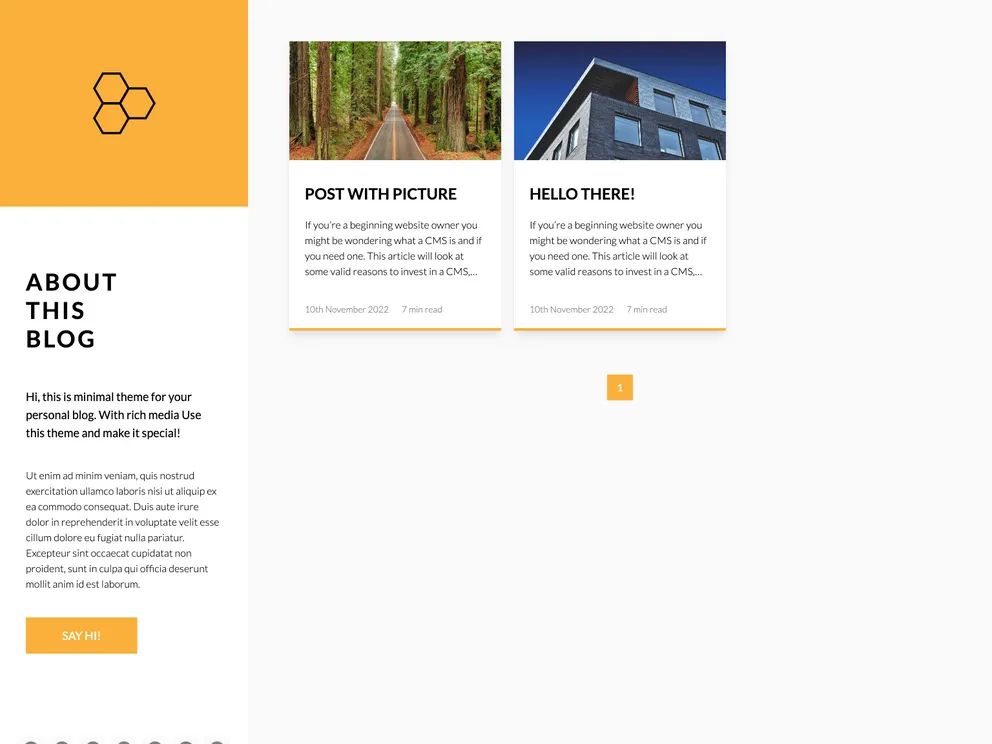
Flotiq starter for creating a blog with gatsby
This product is a Gatsby starter template for a blog that uses Flotiq as a headless CMS. It provides a boilerplate setup for quickly starting a blog project with Gatsby and Flotiq. The goal of this template is to enable users to get their blog up and running quickly, with the added benefits of a fast app generator and a powerful CMS for managing content.
To start the project with Flotiq CLI, use the following command:
flotiq new projectName flotiqApiKey
projectName is the path for the new project. Use . to start the project in the current directory.flotiqApiKey is the read and write API key for your Flotiq account.This command will create the project based on the template, install npm dependencies, set up variables in the .env file, and import example data to your Flotiq account. To import example data, make sure to include your Flotiq API key in the flotiqApiKey parameter.
Environment variables can be stored in the .env files. The .env.development file in the project’s root directory should have the following structure:
FLotiqApiKey=<your_flotiq_api_key>
Note: Importing example data is optional if you used the Flotiq CLI to start the project.
To run the project in development mode, navigate to the project directory and start it up with the following command:
gatsby develop
Your site will be running at http://localhost:8000. The GraphQL tool can be accessed at http://localhost:8000/___graphql for experimenting with data queries.
To edit the blog template, open the src/templates/index.js file in your preferred code editor, make the necessary changes, and save the file. The browser will update in real-time to reflect the changes.
To manage content using the Flotiq editor, make changes to the Content Objects in Flotiq. When content is updated, run gatsby develop to reflect the changes. If the Content Type Definition is updated, run gatsby clean to apply the changes.
For production, rebuild the project using the gatsby build command after making changes in Flotiq. Additional plugins are available for hosting services like Gatsby Cloud and Netlify to simplify the deployment process.
The Gatsby starter template for a blog with Flotiq source provides developers with a quick and easy way to set up a blog powered by Gatsby and Flotiq. It includes pre-configured files, integration with Flotiq as a headless CMS, and a CSS framework for styling. The template allows for easy content management using the Flotiq editor and provides a streamlined process for updating and rebuilding the project in development and production environments. With this starter template, developers can start building their blog projects efficiently and leverage the benefits of Gatsby and Flotiq.

