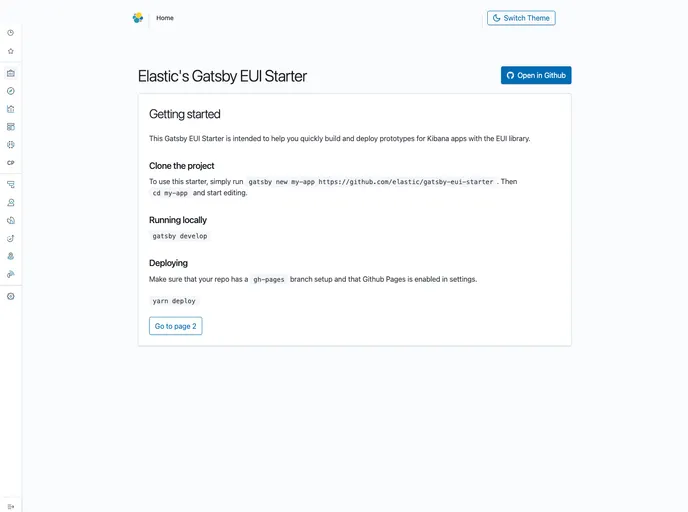
Start building Kibana protoypes quickly with the Gatsby EUI Starter
## Overview
Gatsby has become a popular choice for developers looking to create fast, modern websites, and the integration of Elastic UI (EUI) takes this a step further. EUI provides a set of design elements that make it easier to build user interfaces that are both functional and aesthetically pleasing. This guide offers a quick start to building Kibana prototypes with EUI, streamlining the process and setting you up for success.

Whether you're a seasoned developer or just starting, following the steps outlined in this guide allows for a smooth experience in creating a Gatsby site. The combination of Gatsby's capabilities and EUI's design elements results in a powerful duo for building responsive, engaging sites.

## Features
- **Quick Installation**: Get started effortlessly by installing Gatsby and setting up a new site with EUI as a starter template.
- **Real-time Editing**: As you make changes in the code editor, your browser updates in real time, making development more dynamic and interactive.
- **Integrated GraphQL Tool**: Experiment with querying your data using the built-in GraphQL tool, enhancing your ability to manage and display data on your site.
- **Predefined Project Structure**: The project comes with an organized file structure, including directories for source code, configuration files, and package dependencies.
- **Customizable Configuration**: Modify key configuration files like `gatsby-config.js` to tailor the setup to your specific project needs and preferences.
- **Easy Deployment**: Deploy your site with simple commands and host it on platforms like GitHub Pages, making it accessible to users quickly.
- **Support for Server-Side Rendering**: Leverage Gatsby's APIs to customize settings for server-side rendering, boosting performance and SEO capabilities.

