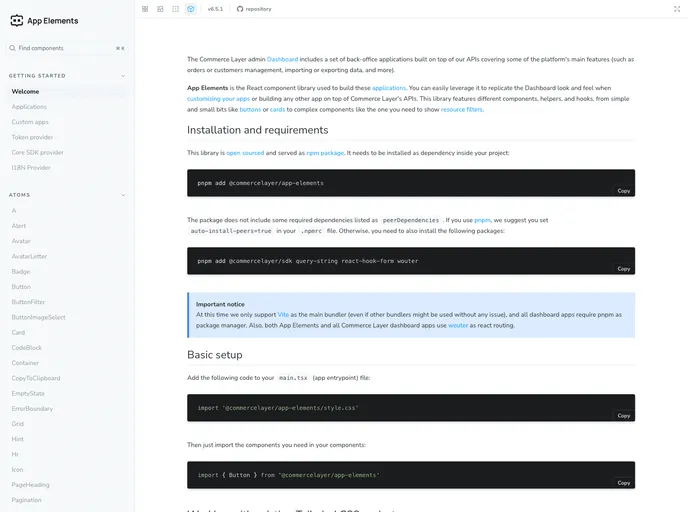
App Elements screenshot

App Elements

Author Avatar Theme by Commercelayer
Updated: 16 Jan 2026
9 Stars

React UI Elements to build and customize Commerce Layer's Dashboard applications.

Categories

Overview:

The app-elements package is a comprehensive collection of reusable UI elements designed to support developers in creating user-friendly and visually appealing web applications. With a focus on modularity and flexibility, this package aims to simplify the process of building and customizing user interfaces, allowing developers to focus on application logic and functionality. Whether you need buttons, forms, menus, or any other UI component, the app-elements package provides a wide range of options to choose from, all designed with best practices in mind.

Features:

  • Customizable Styles: Easily modify the look and feel of UI elements to align with your application’s branding and design aesthetic.
  • Responsive Design: All UI elements are responsive by default, ensuring a seamless user experience across different devices and screen sizes.
  • Accessible: The app-elements package prioritizes accessibility standards, making sure that all users, including those with disabilities, can comfortably navigate and interact with the interface.
  • Easy Integration: Simple and straightforward integration process allows developers to quickly incorporate the app-elements package into their existing projects.
  • Extensive Documentation: Comprehensive documentation and examples are provided to assist developers in utilizing the app-elements package to its fullest potential.
  • Regular Updates: The package is regularly updated with bug fixes, performance improvements, and new features to keep up with evolving web development practices.

Installation:

To install the app-elements package, follow the steps below:

  1. Open your terminal and navigate to your project directory.
  2. Run the following command to install the package via npm:
npm install app-elements
  1. Import the desired UI element(s) into your project using the following code snippet:
import { Button, Form, Menu } from 'app-elements';
  1. Start utilizing the UI element(s) in your application.

Summary:

The app-elements package provides a comprehensive collection of UI elements that simplify the process of building user interfaces for web applications. With customizable styles, responsive design, and a focus on accessibility, developers can easily integrate these elements into their projects. The package comes with extensive documentation and regular updates to ensure a smooth and up-to-date development experience. Installing the app-elements package is as simple as a few terminal commands, enabling developers to quickly enhance their applications with user-friendly and visually appealing UI components.