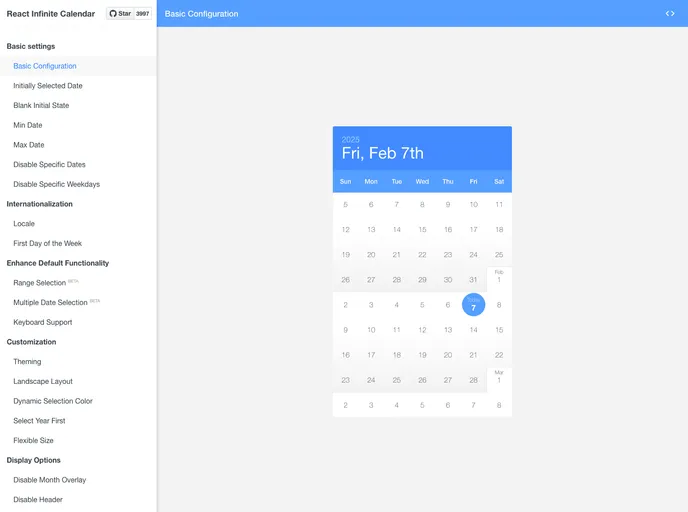
Infinite scrolling date-picker built with React, with localization, range selection, themes, keyboard support, and more.
The React Infinite Calendar is an open-source project currently seeking maintainers. It offers a range of features for creating customizable, flexible, and mobile-friendly calendars in React.
To use React Infinite Calendar, follow these steps:
npm install react-infinite-calendar
Choose the appropriate build for your project. The package provides ES6, CommonJS, and UMD builds.
Import the calendar component into your project:
import InfiniteCalendar from 'react-infinite-calendar';
<InfiniteCalendar
  selected={new Date()}
  width={400}
  height={600}
/>
For more usage examples and code snippets, refer to the official documentation.
The React Infinite Calendar is a versatile and customizable calendar component for React applications. It supports infinite scrolling, localization, theming, and various other features. By following the installation guide, developers can easily integrate this calendar into their projects and take advantage of its flexible functionality. However, potential users should note that the project is currently seeking maintainers, which may impact its future development and support.

