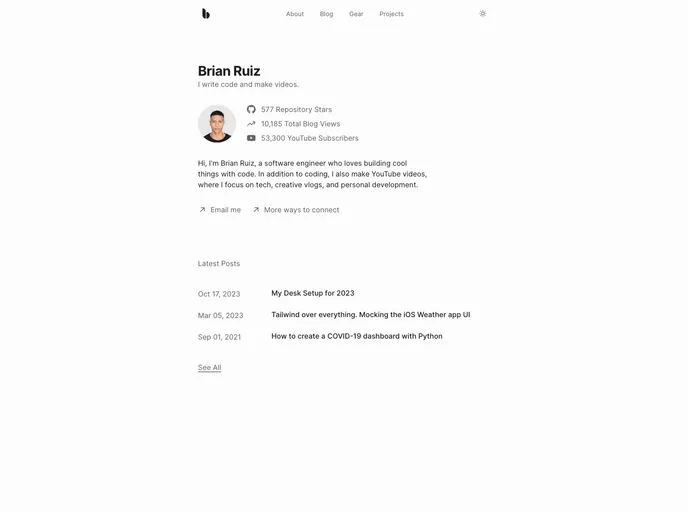
My personal website
My Personal Website is a portfolio website designed to be simplistic and clean, while incorporating various features to enhance functionality. This website includes features such as MDX blog posts with view counts, a dark mode toggle, a gear list, an about page, and more. The website is built using a tech stack that includes Next.js, TypeScript, MDX, Contentlayer, PlanetScale, Prisma, Tailwind CSS, Radix Primitives, Radix UI Colors, and Framer Motion.
To install and run the My Personal Website project, follow these steps:
npm install..env.example file to a new .env.local file.npm install @prisma/client (if not already installed) and then running npx prisma generate.npm run dev. This will create the .contentlayer files and launch the Next.js development server.To set up the database for My Personal Website, follow these steps:
DATABASE_URL environment variable in your project’s .env.local file with the connection string provided by PlanetScale.My Personal Website is a clean and simplistic portfolio website that provides a range of features to enhance usability and functionality. With features such as MDX blog posts, dark mode toggle, gear list, and an about page, the website caters to both visitors and the website owner. The installation process is straightforward and involves setting up the necessary dependencies, database, and environment variables. Overall, My Personal Website is a comprehensive and well-designed portfolio website solution.

