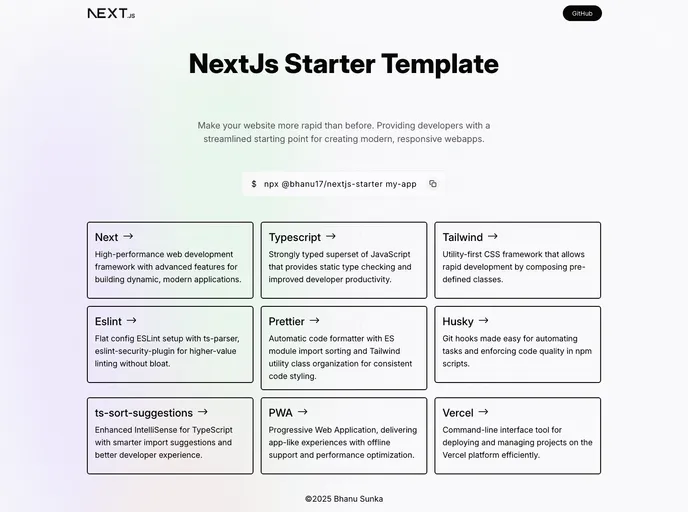
Nextjs15 Starter Template screenshot

Nextjs15 Starter Template

Author Avatar Theme by Bhanu1776
Updated: 20 Dec 2025
38 Stars

A no non-sense Next.js starter template with Typescript + Tailwindcss + Eslint + Prettier + Husky + pnpm + PWA

Categories

Overview:

The Next.js 14 Starter Template is a pre-configured template that aims to simplify the process of setting up a Next.js app by providing a ready-to-use starting point with various features and configurations. It includes Next.js 14, TypeScript, Tailwindcss, Eslint, Prettier, Husky, dark mode, CSS modules, cz-git, PWA support, pnpm package manager, and Vercel deployment. With this template, developers can save time and effort by avoiding the repetitive task of setting up configurations for Next.js apps.

Features:

  • Next 14 - with app router: Utilizes the latest version of Next.js along with the app router feature.
  • TypeScript: Supports TypeScript for type-checking and enhanced development experience.
  • Tailwindcss: Implements the next generation utility-first CSS framework.
  • Eslint - with Airbnb config: Includes Eslint with the popular Airbnb configuration for consistent code quality.
  • Prettier - configured with Eslint and with Tailwindcss-prettier support: Sets up Prettier with integration to Eslint and support for Tailwindcss styles.
  • Husky: Enhances commits by improving commit messages and more.
  • Dark Mode: Includes a dark mode option for a visually appealing user experience.
  • CSS Modules: Supports CSS Modules for scoped styles and improved organization.
  • cz-git - Git commit CLI with custom config: Provides a custom Git commit CLI configuration for streamlined commits.
  • PWA - Native app experience: Implements Progressive Web App features for a native-like app experience.
  • pnpm - Fast, disk space efficient package manager: Utilizes pnpm as a package manager for faster and more efficient package installation.
  • Deploy on Vercel, One click to deploy, Inbuilt Analytics support: Offers easy deployment on Vercel with one-click deployment and built-in analytics support.

Installation:

To use the Next.js 14 Starter Template, follow these steps:

  1. Clone the project repository to your local machine:
git clone [repository-url]
  1. Replace [repository-url] with the URL of the project repository.

  2. Rename the project directory to your desired name:

mv [project-directory] [new-project-name]
  1. Change directory to the newly renamed project directory:
cd [new-project-name]
  1. Update the necessary fields and configurations:

    • Rename the name and author fields in the package.json file.
    • Change the author name in the LICENSE file.
    • Modify the title and description in the layout.tsx file.
    • Update the manifest in the public directory.
    • Clean up the README.md file.
  2. Run the development server:

npm run dev
  1. Visit http://localhost:3000 in your browser to access the running app.

  2. Deploy the app on Vercel (optional):

    • Install Vercel CLI if not already installed.
    • Run the following command in the project directory:
    vercel
    
    • Follow the prompts and deploy the app.
    • For more information, refer to the Vercel CLI documentation.

Summary:

The Next.js 14 Starter Template is a time-saving tool for developers working with Next.js applications. It provides a ready-to-use starting point with pre-configured features such as Next.js 14, TypeScript, Tailwindcss, Eslint, Prettier, Husky, dark mode, CSS modules, cz-git, PWA support, pnpm package manager, and Vercel deployment. By utilizing this template, developers can avoid the repetitive and time-consuming process of setting up various configurations for Next.js apps, and instead focus on building their applications more efficiently.