A no non-sense Next.js starter template with Typescript + Tailwindcss + Eslint + Prettier + Husky + pnpm + PWA
Overview
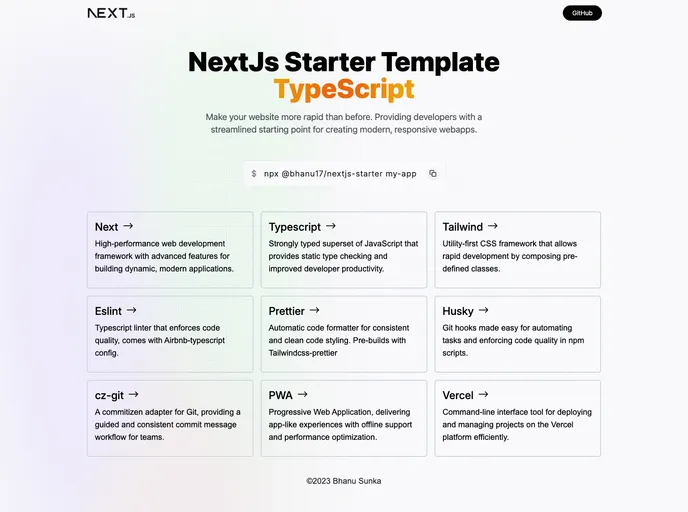
This product analysis is for a Next.js template created by Bhanu Sunka. The template aims to make it easier to set up Next.js web applications by providing pre-configured features and useful tips. It includes various features such as TypeScript, Tailwind CSS, ESLint, Prettier, Husky, Dark Mode, CSS Modules, and more. The template also provides options for easy deployment on Vercel and includes inbuilt support for analytics.
Features
- Next 13 - with app router: Utilizes the latest version of Next.js along with the app router feature.
- TypeScript: The template is written in TypeScript, providing type safety and improved code quality.
- Tailwind CSS: Uses Tailwind CSS, a utility-first CSS framework, for efficient and customizable styling.
- ESLint - with Airbnb config: Includes ESLint with the Airbnb config to ensure consistent code style and catch errors.
- Prettier - configured with Eslint and with Tailwindcss-prettier support: Configured with Prettier to format code and includes support for Tailwind CSS-specific formatting.
- Husky: Integrates Husky, a tool that improves commit quality, ensuring better commit messages and preventing certain types of commits.
- Dark Mode: Provides built-in support for dark mode, allowing users to switch between light and dark themes.
- CSS Modules: Enables the use of CSS Modules, a way to locally scope CSS classes and avoid naming conflicts.
- cz-git - Git commit CLI with custom config: Includes cz-git, a command-line interface tool for creating standardized commit messages with a custom configuration.
- PWA - Native app experience: Sets up the application as a progressive web app, providing a native app-like experience for users.
- pnpm - Fast, disk space efficient package manager: Utilizes pnpm as the package manager, which offers faster package installation and saves disk space.
- Deploy on Vercel, One click to deploy, Inbuilt Analytics support: Provides options for easy deployment on Vercel and includes inbuilt support for analytics.
Installation
To install the Next.js template, follow these steps:
- Clone the repository to your local machine:
git clone [repository-url]
- Navigate to the cloned repository:
- Install the dependencies using pnpm:
- Start the development server:
- Open your browser and visit
http://localhost:3000 to see the running application.
Summary
The Next.js template created by Bhanu Sunka aims to simplify the process of setting up Next.js web applications. It includes various pre-configured features such as TypeScript, Tailwind CSS, ESLint, Prettier, Husky, and more. The template also provides options for easy deployment on Vercel and includes inbuilt support for analytics. By using this template, developers can save time and effort in setting up their Next.js projects and benefit from the included features and optimizations.