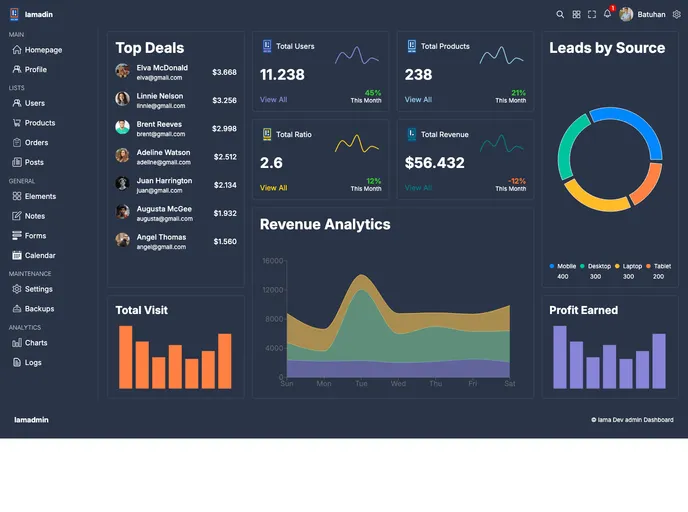
The first project I used Typescript. Very useful! I developed a dashboard using the data grid in MUI and Recharts charts.
The React & TypeScript Dashboard is a test project created to showcase the integration of technologies such as React, Material-UI, and Recharts. The main objective of this project is to provide a foundation for more complex projects in the future. By utilizing these technologies, the project aims to create an effective and visually appealing dashboard for data visualization and organization.
To install the React & TypeScript Dashboard, follow the steps below:
npm install
npm start
The project will now be up and running at http://localhost:3000.
The React & TypeScript Dashboard is a test project that showcases the integration of React, Material-UI, and Recharts for building a visually appealing and functional dashboard. With features like the data grid and Recharts-powered charts, it provides an effective way to organize and visualize data. The project’s use of TypeScript also ensures more secure code. With its modular structure and potential integration with backend infrastructure, the project offers a comprehensive solution for various web application types.

