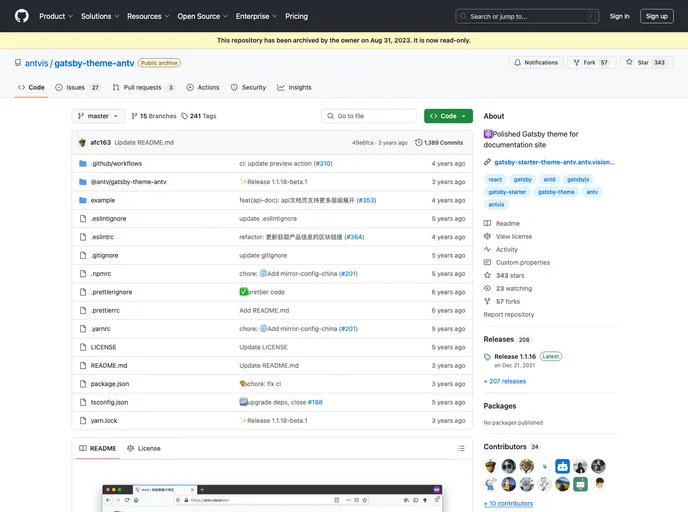
Gatsby's starter of
Starting a new project can often feel daunting, but with this default Gatsby boilerplate, you’ll find the process is both straightforward and efficient. Designed for developers who want to launch React applications quickly, this starter kit comes pre-configured with essential files needed to get up and running in no time. Its structure ensures you can focus on building your application rather than getting bogged down in setup.
Whether you’re a seasoned developer or just starting, this boilerplate offers a seamless experience. With features that cater to both front-end development and necessary configurations, you’ll have everything you need to customize your site easily. Plus, the dual server links allow for real-time modifications and experimentation, making it perfect for interactive development.
Quick Start: Use the Gatsby CLI to create a new site instantly, allowing you to start developing right out of the box.
Real-Time Updates: With live reloading, any changes you save in your code editor immediately reflect in the browser.
Comprehensive Folder Structure: Easily navigate through critical directories like /src, where all front-end code is stored, and /node_modules for your npm dependencies.
Customizable Configuration: The gatsby-config.js file lets you specify metadata and include plugins, giving you flexibility in how your site operates.
API Integration: Use gatsby-browser.js, gatsby-node.js, and gatsby-ssr.js files to customize Gatsby’s default settings and control browser, node, and server-side rendering behavior.
Code Formatting Tools: The included .prettierrc configuration file ensures your code maintains consistent formatting for better readability and maintenance.
Project Manifest: package.json serves as the manifest for project metadata and npm packages, streamlining dependency management.
Version Control: The .gitignore file helps maintain your version control neatly by excluding unnecessary files from being tracked.

