Overview
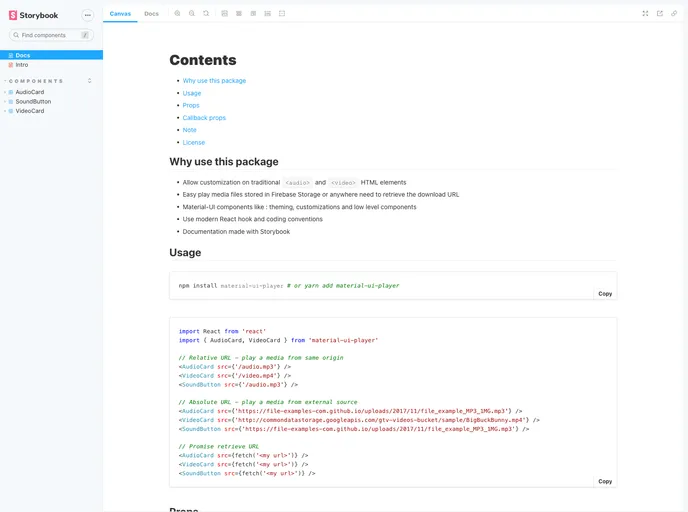
If you’re looking for a flexible and modern way to integrate audio and video playback in your React applications, the Material UI Player is a fantastic choice. This package leverages Material-UI components to offer a seamless experience while allowing for extensive customization. It simplifies the process of playing media files, whether they’re stored locally or pulled from cloud services like Firebase.
With its user-friendly design and adherence to contemporary coding practices, the Material UI Player is ideal for developers aiming to enhance their projects with audio and video functionalities without compromising on aesthetics or performance.
Features
- AudioCard & VideoCard: These essential components provide an intuitive audio and video element with built-in controls for smooth playback.
- SoundButton: An IconButton designed specifically to play audio files, perfect for short clips and enhancing user engagement.
- Autoplay & Loop Options: Customize playback by enabling or disabling autoplay and looping features to suit the media’s context and user preferences.
- Customizable Props: Users can set various props such as width, background, and thickness of sliders, ensuring a tailored look that fits naturally within the app’s design.
- Callback Functionality: The player responds to specific user interactions, allowing developers to implement features like custom events upon forward, backward, or media end actions.
- Fade Settings for Video: Introduce professional transitions with configurable fade-in and fade-out times for video playback, enhancing visual continuity.
- Material UI Integration: Fully compatible with Material-UI’s theming and customization capabilities, of which maintain a cohesive look and feel throughout the application.
- Firebase Compatibility: Easily retrieve and play media files directly from Firebase Storage, streamlining the process of working with cloud-stored content.